ExxonMobil Exclusive Plans And Pricing

PDI CStore Essentials

With the power of PDI's technology and ExxonMobil's trusted brand, this partnership delivers exceptional value for convenience store owners looking to optimize their operations and boost their bottom line. Don't miss out on this opportunity to take your business to the next level with CStore Essentials.

EMRP-icons_4_24_18-11

Maximize Your ExxonMobil Rewards+ Loyalty Benefits!

Tobacco manufacturers offer multiple rebates on select tobacco products, giving you more in your pocket and enabling you to provide competitive pricing to your consumers. With ExxonMobil and PDI CStore Essentials, you have all you need to take advantage of these rebates.

 

Help Center

Tobacco Scan Data

Share scan data of your tobacco sales to receive a buy-price rebate on every carton and can.

Multi-pack

Multi-Pack Discounts

In-store discount for buying multiple packs/cans every day for your customers. 

Lottery

Loyalty Promotions

Additional discount to customers who enter a ExxonMobil Rewards+ ID when purchasing qualifying items. 
Cigarettes and other tobacco products (OTP) accounted for nearly 38.4% of in-store merchandise sales in NACS’ 2020 State of the Industry Report. Adding tobacco loyalty offerings to your store not only increases consumer loyalty and sales but you can stack rebates on top of scan data – leaving you with more money in your pocket!

Promotions and Discounts Examples

Manufacturer Tiers

Tier Definition

Example*

Scan Data

Share scan data of your tobacco sales to receive a buy-price rebate on every carton and can.

Your store receives: 
$0.10 per carton
$0.03 per can

Multi-Pack

In-store discount for buying multiple packs/cans every day for your customers. 

Buy 2 packs, save $0.50

Loyalty Fund

Additional discount to customers who enter a loyalty ID (1 + phone number) when purchasing qualifying items. These offers stack with
other promotions. 

Buy 2 packs, save $1.00 with
Loyalty Program

Combine all 3 tiers to offer the largest discount to your customers without reducing your profit margin.

Buy 2 packs, save $1.50 with
Loyalty Program
Retailer receives rebate of $1.50 +
$0.10 per carton


*Exact scan data amounts and discounts available to your customers should be confirmed with your tobacco manufacturer representative to account for state restrictions and qualification requirements. 


ExxonMobil Rewards+

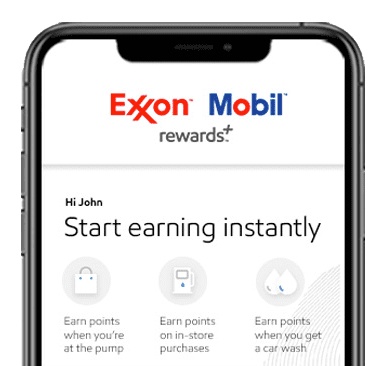
CStore Essentials Tobacco Loyalty works with the ExxonMobil Rewards+ program, including mobile app, loyalty cards, and/or phone numbers registered as alt IDs.

Phone_image_2

How Does It Work?


Tobacco loyalty Infographic-04
1
Promotions & Scanning

Display tobacco discounts in-store. When tobacco purchases are scanned at checkout, data is
being collected.

2
Automatic Reporting

A report is generated from the scan data, including the product description, regular sale price, and
discounts applied.

3
Automatic Submission

The scan data report is then submitted automatically to the tobacco vendor for review.

4
Receive Rebates

In exchange for the scan data report, the tobacco vendor disburses rebates back to you.

Exxon Exclusive Pricing

Scan Data Basic

Free

  • Scan Data Rebates
  • Multi-Pack Rebates
  • Automated Reporting
Tobacco Loyalty

$49/mo

Includes our Scan Data Basic solution plus

  • Loyalty POS Integration  
  • Loyalty Host Connection  
  • Phone/Loyalty ID Capture
  • Tobacco Loyalty Rebates 
  • Tobacco Loyalty Offer Setup


Tobacco Loyalty Plus

$69/mo

Includes our Scan Data, Back Office & Operations, Financial Management, and Loyalty solutions 

  • Mobile & Web App
  • Pricebook
  • Inventory Management
  • Daily Reporting
  • Live Sales
  • Lottery Management
  • Fuel Management
  • Promotions
  • Services 
  • User Access Levels


How to Get Started

  • What is required to get started?

    • PC running Windows 7 or later inside the store with internet access.
    • Minimum 10mbps internet speed required to download PDI CStore Essentials software
    • PC must be connected to your POS system (most branded sites with a PC usually already have this done now - if not, we can help with the connection remotely in most cases).
    • Must be scanning at the register

  • Confirm Your Eligibility

    • Must be a Exxon or Mobil Branded Site
    • These packages are exclusive.
    • Restrictions apply.
    • New York, New Jersey, and Massachusetts sites are not eligible to participate in tobacco loyalty due to state restrictions.
    • Loyalty Services are not available in California.

  • What Point of Sales Systems Are Compatible?

    • Gilbarco Passport
    • Verifone Commander
    Gilbarco Passport sites must have the Mobile Loyalty bundle set up, requiring an additional purchase through Gilbarco. Please use the POS configuration guide to check your status and configuration setup.


What is required to get started?

  • PC running Windows 7 or later inside the store with internet access.
  • Minimum 10mbps internet speed required to download PDI CStore Essentials software
  • PC must be connected to your POS system (most branded sites with a PC usually already have this done now - if not, we can help with the connection remotely in most cases).
  • Must be scanning at the register

Confirm Your Eligibility

  • Must be a Exxon or Mobil Branded Site
  • These packages are exclusive.
  • Restrictions apply.
  • New York, New Jersey, and Massachusetts sites are not eligible to participate in tobacco loyalty due to state restrictions.
  • Loyalty Services are not available in California.

What Point of Sales Systems Are Compatible?

  • Gilbarco Passport
  • Verifone Commander
Gilbarco Passport sites must have the Mobile Loyalty bundle set up, requiring an additional purchase through Gilbarco. Please use the POS configuration guide to check your status and configuration setup.


Next Steps

  • Click the ‘Get Started’ button below to create an account on the PDI CStore Essentials website.
  • Select ExxonMobil from the Fuel Brand drop down
  • Follow steps within CStore Essentials application to set up your store and select the correct plan type. 
  • Schedule a virtual installation appointment, where a PDI team member will help you remotely configure your back office computer. Please note that it is essential that someone with password authority be present during the install.
    - In the meantime, make sure to contact your local Tobacco Rep to enroll in the latest promotions and to have your tobacco account number(s) and password available.
    - Verify with your Tobacco Rep that the following promotions are accurate for your store. Click here to view the promotions. If not, please get in touch with help@emoffertool.com 

Troubleshooting Contacts:

For questions relating ExxonMobil tobacco, please contact your assigned Cstore Consultant @ 888-724-9544 – please listen to prompts for your region.
For questions relating to scan data and/or tobacco loyalty – please use the CStore Essentials chat function.
Login to Your CStore Essentials Account